> University Academic System UI/UX Design
K-ARTS Academic Portal
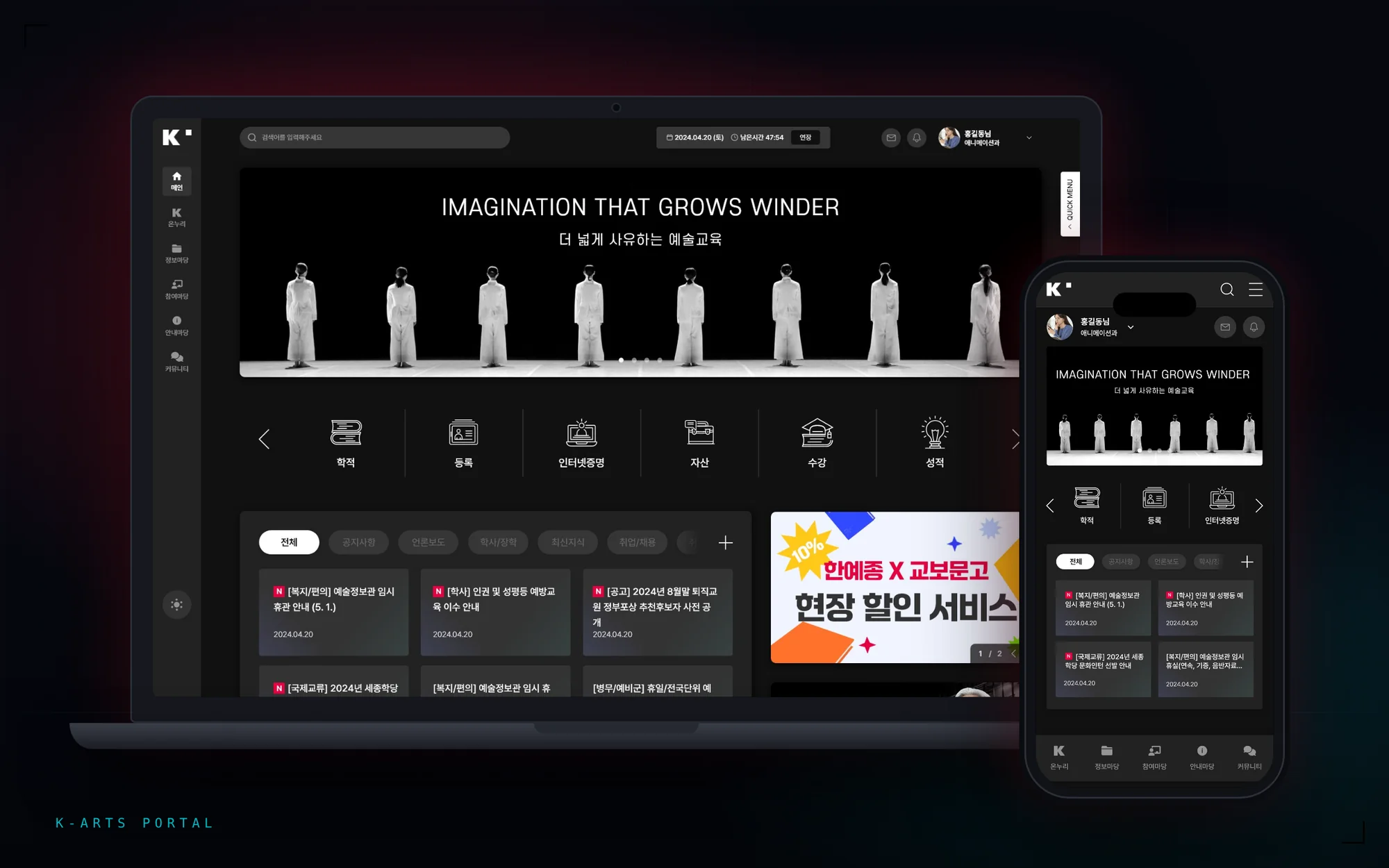
A UI/UX redesign for Korea National University of Arts' academic administration portal. For the students and staff who log in daily, I reorganized scattered functions around how often they're actually used, and built a design system that fully supports light and dark themes.
- Client
- Korea National University of Arts
- Role
- UI Design100%
- Design System100%
- Responsive100%
- IAContributed (with the planner)
- Stage
- Proposal
Challenge
The academic administration portal is the service where nearly all of campus life's administrative work happens — course registration, grade checks, academic-status changes, tuition payment, certificate issuance. But the more functions it accumulated, the more the system split along the university's own org chart, so a user had to work out which department owned what they wanted to do before they could even find the right menu. And given how many functions a system like this carries, simply trimming the menu down wasn't enough to fix it. What it needed was to separate the frequent functions from the occasional ones by priority, keep the ones people needed within easy reach, and still lower the cognitive load on a screen used over and over.
Objective
Rebuild the menu hierarchy around what people actually came to do, not the org chart — and structure information by how important and how often each function gets used, to lower the cognitive load on a screen people open every day.
Process
The primary users are students and staff — and they use the system in completely different ways.
A relative rank, not an exact usage figure — this is what I used to prioritize the main dashboard.
- 01Academic RecordsRecords lookup, edits, and related actions
- 02Course RegistrationHeaviest traffic at the start of each term
- 03Grades
- 04Tuition & Registration
- 05Online Certificates
- 06Assets
Concentrated at specific times — course registration at the start of term, grades at the end. Comes in with a clear goal, handles it fast, leaves.
Uses it constantly — repeated lookups and edits, often needing several pieces of information on screen at once.
- 01Couldn't find the feature they needed
- 02UI felt too complex
- 03Information hierarchy wasn't clear
Without access to real log data, I defined these drop-off causes based on problems that show up consistently across academic systems like this one. None of the three came from a missing feature — all three came from an existing feature nobody could find. I treated it as a placement and hierarchy problem, not a case for adding more.
Image Showcase
Concentrated at specific times — registration at the start of term, grades at the end.
Constant use — repeated lookups and edits.
“"Organized, but never oversimplified." That was the goal. In a system carrying this many functions, simplifying isn't the answer — what it needed was hierarchy, not subtraction. The frequent things up front; the occasional things exactly where you'd look for them.”